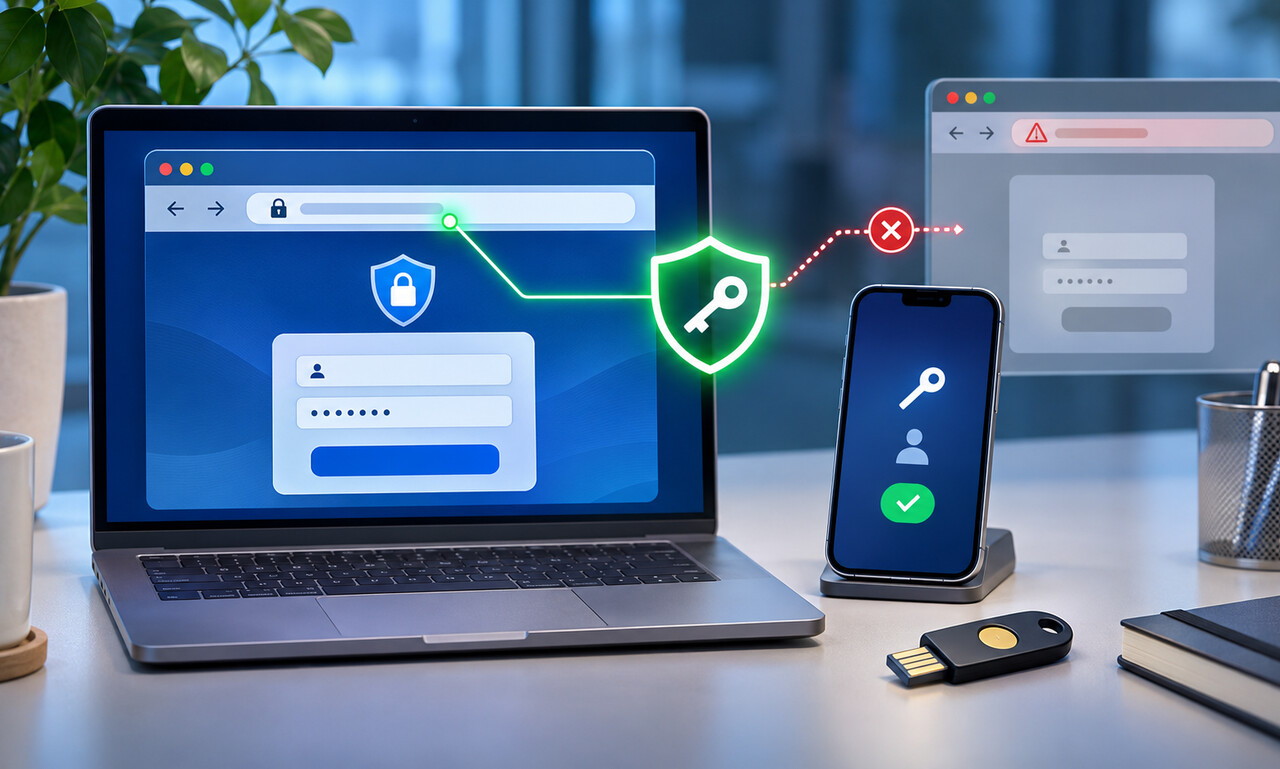
Traditional passwords can be typed into a fake page and sent to an attacker. A passkey works differently: the device holds a private cryptographic key, while the service keeps a corresponding public key.
During sign-in, the legitimate site asks the device to prove possession of the private key. The credential is associated with that site’s domain, so a look-alike address cannot request the same proof simply because its page design appears identical.
Unlocking with a fingerprint, face scan or device PIN authorizes the local device to use the passkey; the biometric itself is not sent to the website. The service receives a signed response rather than a password that can be copied and replayed.
Recovery still deserves attention. Passkeys may sync through a platform account or remain on a specific device, depending on how they were created. Review backup devices, account recovery and what happens when a phone or computer is lost.
Passkeys reduce common phishing and password-reuse risks, but users should still inspect unexpected prompts and secure the devices and accounts that store credentials. Strong domain binding protects the sign-in exchange; device security protects access to the key.
Original educational commentary by Breaking Click. This explainer is designed to help readers evaluate information more carefully.